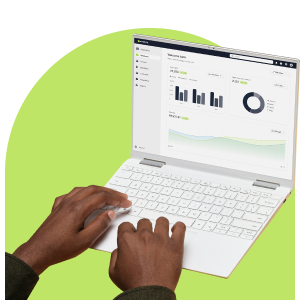
Many businesses have access to more campaign data than they use. They can see whether a message was delivered, opened, clicked, replied to, unsubscribed from, or ignored. They may also have heatmaps, landing-page activity, automation reports, channel insights, and lead behaviour sitting inside the same communication ecosystem.
The challenge is knowing which analytics matter most, what they reveal, and how to use them to improve the next message, journey, or customer interaction.
In Part 1 of our Email Marketing Metrics series, we discussed the email marketing metrics that can be tracked and how to interpret them to improve your customer journey. In this blog, we look at the different types of analytics available and how to use them more strategically.
Campaign Reporting Analytics
Campaign reporting gives you an overview of how a campaign performed across its primary communication channels.
This includes core metrics such as delivery, opens, clicks, bounces, unsubscribes, and replies, depending on the channel used. These analytics help answer practical questions quickly:
- Did the campaign reach the intended audience?
- Did customers engage with the message?
- Which links or calls to action performed best?
- Was there any delivery, bounce, or unsubscribe concerns?
- How did email and SMS activity compare over time?
Campaign reporting is useful when you need to move from opinion to evidence. Instead of debating whether a subject line, CTA, or send time worked, the report gives a performance baseline that can guide your next decision.
Comparing campaigns over time will identify patterns in audience behaviour, content performance, channel effectiveness, and database health.
Database management has a direct effect on communication performance and can help your emails reach the inbox, keep your sender reputation strong, and ensure that your messages stay relevant to your clients.
Email Engagement Analytics
Email engagement analytics show how recipients interact with a message once it reaches the inbox.
Open rates can help indicate whether the subject line, sender name, and timing created enough attention. But opens should not be treated as the main measure of success. The stronger signals usually come from clicks, click-to-open rate, link performance, unsubscribes, complaints, bounces, device behaviour, and geo-location insights.
For example, if an email has a strong open rate but weak clicks, the message may not be delivering on the subject line’s promise. If clicks are strong but conversions are low, the problem may be on the landing page, form, offer, or follow-up process.
Email analytics are most useful when they help you diagnose your next improvement. That could mean simplifying the content, strengthening the CTA, improving segmentation, adjusting send time, or testing a different layout.
Getting the most from your email campaigns isn’t just hit and miss – measuring and analysing your results will help you create more compelling messaging that achieves your business goals. Here’s some key email metrics you can start to track.
Heatmap Analytics
Heatmaps are useful because they make engagement visual. Instead of only showing how many clicks an email received, heatmaps help show where people clicked. This can reveal which buttons, links, images, text areas, or content sections attracted attention.
For marketers and communication teams, this is valuable because it moves reporting closer to design and content strategy. A heatmap can show whether the main CTA is easy to find, secondary links are distracting from the primary action, readers are engaging with content lower down in the email, or an image is being treated like a clickable element even when it is not.
Heatmaps can help answer questions such as:
- Is the primary CTA placed prominently enough?
- Are customers clicking the intended action?
- Are too many links competing for attention?
- Which content blocks are creating engagement?
- Is the email layout supporting or weakening the message?
SMS and Mobile Analytics
SMS analytics show whether short, direct communication is doing its job.
Useful SMS metrics include delivery, bounces, replies, unsubscribes, and engagement statistics. These are important because SMS often plays a different role from email. It is commonly used for reminders, alerts, confirmations, time-sensitive prompts, and follow-ups.
A strong SMS result is not only a high delivery rate. The real value is whether SMS helped the customer act faster or complete the next step.
For example, a retailer may use SMS to prompt a limited-time offer after an email campaign. A healthcare provider may use SMS for appointment reminders. A financial services provider may use it to encourage customers to complete verification or respond to a time-sensitive update.
SMS analytics should therefore be reviewed alongside the wider journey. Did SMS improve response? Did it reduce missed appointments, incomplete forms, or support queries? Did it work better for certain segments than email?
Landing Page and Form Analytics
Landing pages extend campaign measurement beyond the inbox.
When customers click through from an email, SMS, or other channel, landing-page analytics help you understand how customers engaged after clicking through from a campaign. This can include visits, unique visitors, and other engagement activity.
Landing-page analytics are useful for lead generation, event registrations, content downloads, product enquiries, surveys, and campaign-specific offers. They can also help you identify where friction exists. If many people click but few complete the form, the landing page may be too long, unclear, poorly aligned to the message, or asking for too much information too soon.
Landing pages are one of the cornerstones of purposeful marketing campaigns. Whether driving leads, promoting a product, or encouraging sign-ups, a well-crafted landing page can significantly improve your conversion rates.
Lead Insights and Behavioural Analytics
Lead insights help you understand how individual contacts or groups are engaging across communication touchpoints.
This can include behaviour across email, SMS, landing pages, push notifications, and voice broadcasts. It helps businesses identify which leads are active, which are losing interest, and which may need a different follow-up approach.
Behavioural analytics are useful because they support smarter segmentation. Instead of grouping contacts only by demographics or static data fields, you can segment by actual engagement: who clicked, who downloaded, who replied, who visited a landing page, who ignored a journey, or who showed interest in a specific topic.
For sales, marketing, and customer experience teams, this creates a more practical view of intent. A customer who repeatedly clicks product-related content should not be treated the same as one who has not engaged in months.
Automation and Workflow Analytics
Automation analytics show how customers move through a journey, not just how one message performed.
This matters because automated communication often includes multiple steps, triggers, delays, and channels. You might want to know where customers enter the journey, where they drop off, which messages create action, and which branches need improvement.
Useful automation analytics include insight into delivery rates, opens, clicks, bounce rates, and the performance of automated campaigns. You can also monitor contact progression through automation workflows and, where applicable, track form submissions or other conversion actions. More advanced website conversion and funnel analytics can be supported through integrations with external analytics platforms.
For example, an onboarding workflow may start with a welcome email, continue with an educational message, follow up via SMS, and then move customers into a re-engagement path if they do not act. The success of that workflow is not one email’s open rate. It is whether the journey helps more customers complete onboarding with less manual follow-up.
Automation analytics help you optimise timing, content, triggers, and channel choice. They also help identify where automation may be creating fatigue or unnecessary repetition.
Push, Voice and Omnichannel Analytics
As communication expands across channels, you need to understand the role each channel plays.
Push notifications can support reminders, app engagement, and time-sensitive updates. Voice broadcasting can support alerts, service messages, and campaigns where an audio message may improve reach or attention. WhatsApp can support more conversational or responsive engagement, depending on how it is used within the communication setup.
Channels should not be viewed in isolation. A campaign may use email for detail, SMS for urgency, push for a reminder, and WhatsApp for response. Each channel contributes differently. Omnichannel analytics help teams understand which combination of channels creates the strongest outcome, where customers prefer to engage, and which channels should be used for specific message types.
Dashboard and Trend Analytics
Dashboard analytics help you move beyond campaign-by-campaign thinking.
By comparing email and SMS performance over different time frames, you can identify broader trends in delivery, engagement, unsubscribes, bounces, and sending activity. This is useful for monitoring seasonal performance, campaign frequency, database health, and channel performance over time.
For example, a retail team may compare Black Friday communication against the previous year. A university may track engagement during application season. A financial services team may monitor whether renewal messaging improves month on month.
Trend analytics help you see whether performance issues are isolated or systemic.
How to Use Marketing Analytics More Strategically
Analytics are only valuable when they change what happens next.
Before reviewing reports, define what the campaign or journey was meant to achieve. Was the goal awareness, conversion, onboarding, retention, service completion, lead generation, or operational efficiency?
Then review the analytics in layers:
- Delivery: Did the message reach the audience?
- Engagement: Did customers open, click, reply, or interact?
- Content: Which links, CTAs, or sections attracted attention?
- Journey: What happened after the first interaction?
- Channel: Which channel helped move the customer forward?
- Trust: Did complaints, unsubscribes, or bounces indicate risk?
- Business outcome: Did the communication support revenue, retention, service, or efficiency?
This approach helps you avoid vanity reporting and focus on practical improvement. Everlytic analytics can help businesses understand much more than whether a campaign was sent successfully.
Get the Insights You Need to Create Impactful Campaigns
Want clearer insight into how your customers engage? Explore Everlytic’s campaign reporting, automation, and omnichannel analytics to optimise every message across email, SMS, WhatsApp, push, and voice.
Frequently Asked Questions (FAQs)
What Marketing Analytics can you Track in Everlytic?
Everlytic gives you insight into how customers engage across communication channels. Depending on the campaign or journey, teams can track analytics such as email delivery, opens, clicks, bounces, unsubscribes, replies, heatmaps, SMS engagement, landing-page activity, form completions, automation performance, and channel trends.
Why should Businesses Measure more than Email Opens and Clicks?
Opens and clicks are useful indicators, but they do not show the full customer journey. To understand campaign performance properly, you need to look at what happened before and after the first interaction. This includes delivery, engagement, content performance, landing-page activity, , automation drop-offs, channel contribution, and business outcomes.
How do Heatmaps Help Improve Email Marketing Performance?
Heatmaps show where people clicked inside an email. This helps marketers see whether the main call to action is easy to find, whether links are competing for attention, which content sections attract engagement, and whether the email layout supports the intended action.
What is the Difference Between Campaign Reporting and Automation Analytics?
Campaign reporting shows how a specific campaign performed across key metrics such as delivery, opens, clicks, bounces, unsubscribes, and replies. Automation analytics show how customers move through a journey over time, including where they enter, where they drop off, which messages drive action, and which steps need improvement.
How can Landing-page Analytics Improve Campaign Performance?
Landing-page analytics show what happens after someone clicks from an email, SMS, or other channel. They can help teams measure visits, downloads, form completions, and engagement activity. If many people click through but few complete the form, it may indicate that the landing page is too long, unclear, misaligned with the message, or asking for too much information too soon.
How can SMS Analytics be Used Strategically?
SMS analytics help you understand whether short, direct communication is helping customers take action. Useful SMS metrics include delivery, bounces, replies, unsubscribes, and engagement statistics. SMS should also be reviewed in context with the wider journey to see whether it improved response, reduced missed appointments, increased completed forms, or supported time-sensitive communication.
What are Behavioural Analytics in Marketing?
Behavioural analytics show how contacts engage across communication touchpoints such as email, SMS, landing pages, push notifications, and voice broadcasts. This helps businesses segment audiences based on real actions, such as clicks, downloads, replies, visits, or inactivity, instead of relying only on static customer data.
How do Omnichannel Analytics Help Businesses Improve Communication?
Omnichannel analytics helps you understand how different channels contribute to customer engagement. Email may provide detail, SMS may create urgency, push notifications may act as reminders, and WhatsApp may support more conversational engagement. Reviewing these channels together helps teams identify which combinations work best for different messages and customer segments.
How should Businesses Use Marketing Analytics More Strategically?
Start by defining the purpose of a campaign or journey, such as awareness, conversion, onboarding, retention, lead generation, service completion, or efficiency. Then, review your analytics in layers: delivery, engagement, content, journey progression, channel performance, trust signals, and business outcomes. This helps you move beyond vanity reporting and use data to improve future communication.
Why are Marketing Analytics Important for South African Businesses?
For South African businesses managing high-volume customer communication, marketing analytics provide the visibility needed to improve campaign performance, customer experience, and operational efficiency. Analytics help teams reduce guesswork, understand customer behaviour, optimise communication across channels, and connect messaging activity to measurable business outcomes.